Features
Everything it does, and where.
NaviStream is one app across six Apple screens. Most of it works everywhere; where a feature is specific to a device, it says so.
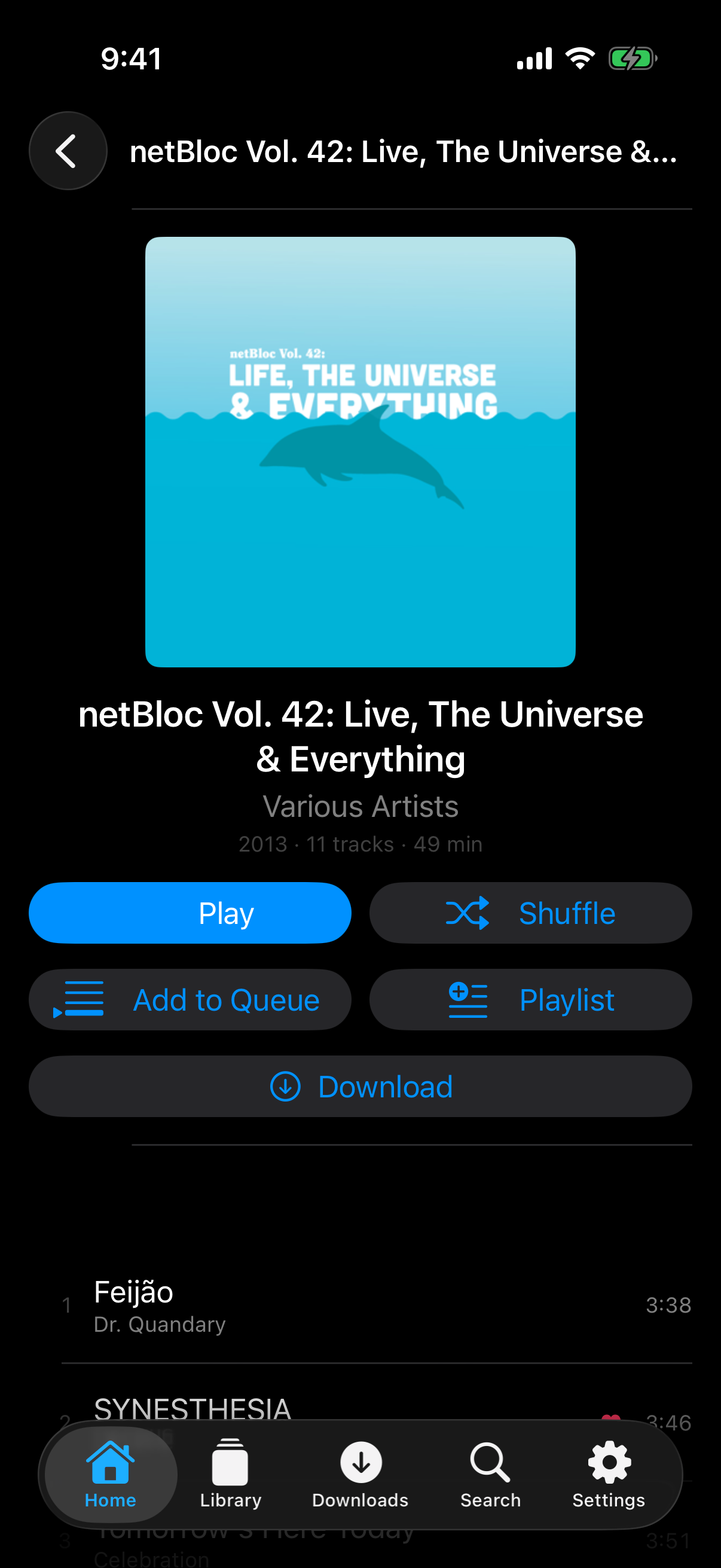
An album, ready to download
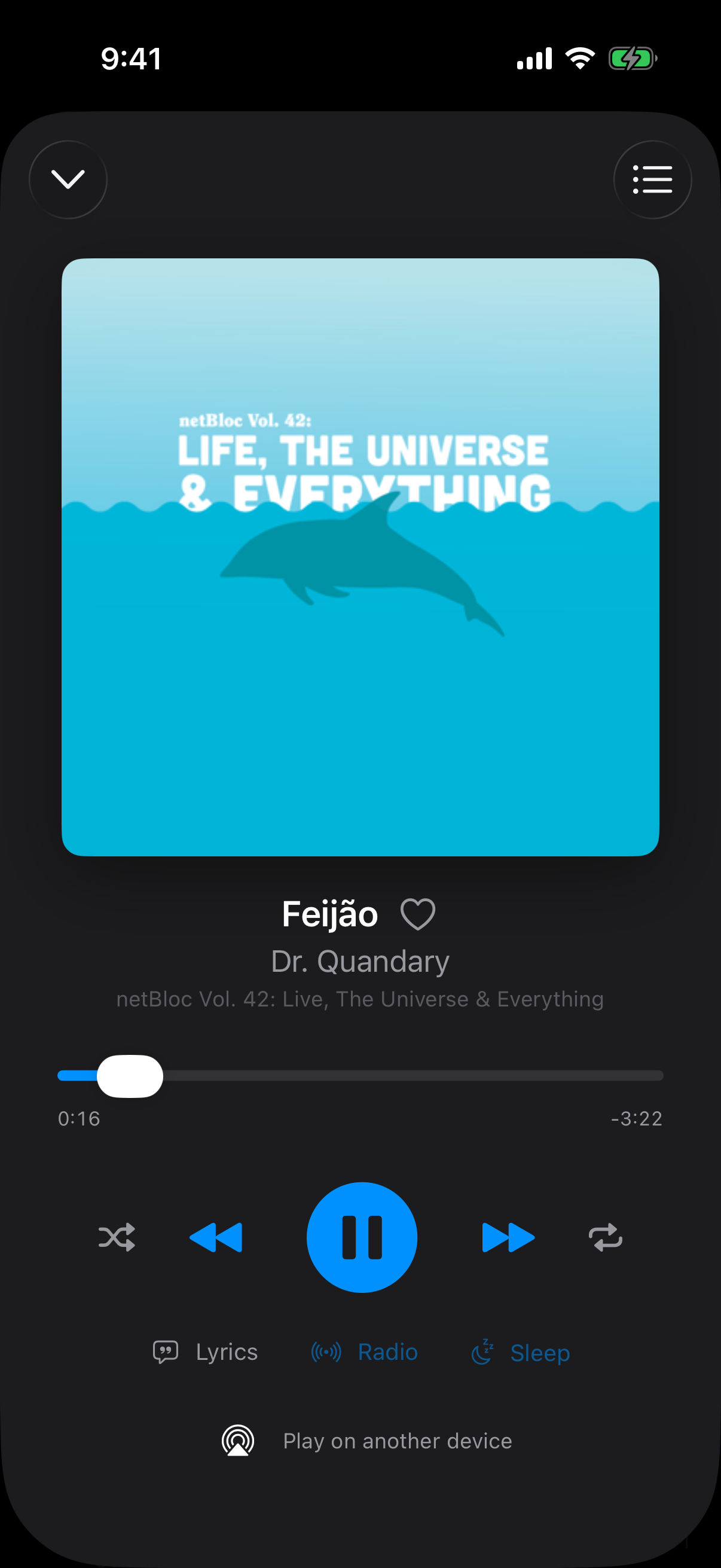
Now Playing, with lyrics, radio and sleep
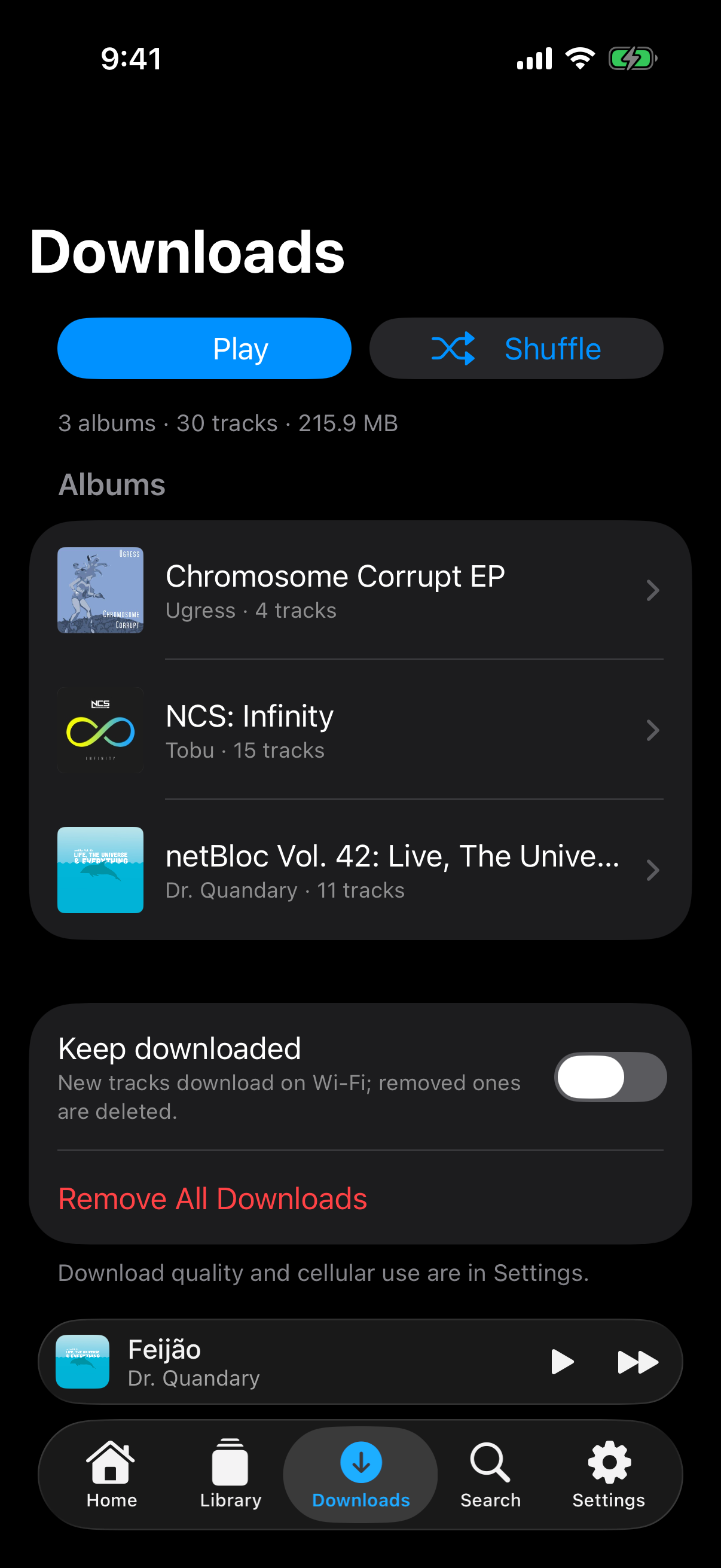
Downloads, for when the signal drops
iPhone, connected to Navidrome’s public demo server.
01
One server, home and away
Add your server once. NaviStream works out which address to use and keeps working when you walk out the door.
Home and internet addresses
Give a server its LAN address and its public one. At home it connects locally; off Wi-Fi it tries the internet address first, so leaving the house costs no timeouts.
Switches as the network changes
When your phone moves from Wi-Fi to cellular, NaviStream picks the right address again and rebuilds the queue on it.
Lossless at home, lighter away
Full quality on the local network and transcoded when you are out, chosen by which address answered.
Several servers
Save more than one server and switch between them. http or https, guessed sensibly if you leave the scheme off, and self-signed certificates accepted.
02
Offline, done properly
Downloads that wait for Wi-Fi, survive the app being closed, and never delete something you picked by hand.
Downloads over Wi-Fi
Albums, playlists and songs download in the background and wait for Wi-Fi unless you say otherwise. Interrupted transfers resume where they stopped.
iPhone
Keep downloaded
Mark a playlist or your starred songs to stay downloaded and they sync as they change. A track is only removed when nothing needs it any more.
iPhone
Gapless playback
Downloaded albums and mixes play joined on the sample, so live records and DJ mixes run straight through with no gap between tracks.
iPhone
Opens offline
With no connection the app opens straight to what is downloaded. Ticks on the artwork show what is already on the device.
iPhone
On your watch
The Apple Watch app downloads albums and playlists to the watch and plays them through Bluetooth headphones, with the phone left at home.
Apple Watch
03
Everything you expect from a player
Built against the Subsonic and OpenSubsonic APIs, so your server does the library and NaviStream does the listening.
Browse and search
Artists, albums, genres, decades, playlists and internet radio from your server.
Edit playlists
Reorder, remove, rename and delete, saved straight back to the server.
iPhone, iPad, Mac
Hearts
Star songs, albums and artists, kept on the server and shared by every client.
Radio and top songs
Song radio, artist radio and top songs, from your own library.
Lyrics and sleep timer
Lyrics from the server, a sleep timer, and volume levelling with ReplayGain.
Carry on elsewhere
Stop on the phone and pick up on the Apple TV, through the play queue your server keeps.
04
At home on Apple devices
Not a web wrapper. A native app for each screen, written in Swift.
CarPlay
Browse and play your library from the car.
iPhone
Siri and Shortcuts
Ask for an album or playlist by name, or build it into a Shortcut.
iPhone
Widgets
Now Playing and Quick Play on the Home Screen.
iPhone
Top Shelf
Recently played albums across the top of the Apple TV Home Screen.
Apple TV
Onkyo volume
Finds an Onkyo or Integra receiver on your network and controls its volume from the app.
Apple TV, iPhone